Avast ye! If you followed our last report, you are now armed with the best AI art generators in the Seven Seas (Ideogram and Midjourney). You can create stunning T-shirt designs, funny coffee mug slogans, and epic posters in seconds.
But let me tell you a secret: Art doesn’t make money. Products do.
Having a hard drive full of JPEGs is worthless. You need a vessel to carry that cargo to the customer. That vessel is Print-on-Demand (POD). This is the only business model where you can sell 1,000 shirts without ever buying a single box of inventory, touching a shipping label, or dealing with a post office line.
In this guide, we are going to walk through exactly how to take your AI creations and sell AI art on Etsy or your own shop. This is your 2026 battle plan to build a passive income side hustle that pays you while you sleep.
The Business Model: What is Print-on-Demand?
For the greenhorns on deck, here is how it works in plain English:
- You Create: You generate a design using AI.
- You List: You put that design on a virtual T-shirt (a mockup) and list it on Etsy.
- The Customer Buys: A landlubber sees it and pays $25.
- The Supplier Prints: Your POD partner (like Printify) automatically gets the order, prints the shirt, and ships it directly to the customer for $15.
- You Profit: You keep the $10 difference.
You never touch the product. You are purely the Captain of Strategy and Design.
💡 Personal Note: “My first POD sale was a total accident. I uploaded a funny AI-generated cat sticker to Redbubble just to test it. Three days later, I got an email saying I made $2.50. I was asleep when it happened. That $2.50 changed my life because it proved money could be disconnected from my time. If I could sell one, I could sell a thousand.”
Step 1: Choosing Your Supplier (Printify vs. Printful)
Your supplier is your First Mate. If they fail, the ship sinks. In 2026, there are two main giants you need to know: Printify and Printful.
The Contender: Printful
- The Vibe: The premium, all-in-one quality king.
- Pros: Everything is printed in-house. The quality control is excellent. Their interface is incredibly easy for beginners.
- Cons: The base prices are higher. A shirt might cost you $13 to print, leaving you with a smaller profit margin.
The Contender: Printify
- The Vibe: The network aggregator (The “Expedia” of printing).
- Pros: They connect you to dozens of print shops around the world. The prices are significantly lower (a shirt might cost $9), which means more profit for you.
- Cons: Quality can vary depending on which print shop you choose within their network.
The Captain’s Order
For a new Print-on-Demand tutorial follower in 2026, I recommend starting with Printify.
Why? Margins. When you are starting, cash flow is king. The lower base cost allows you to price your items competitively while still making a profit.
For a detailed breakdown of the costs, check out Printify’s 2026 pricing guide, which shows exactly how much profit you can expect per item.
Step 2: The “Resolution” Trap (Don’t Sink Your Ship!)
This is the most critical section of this entire guide. Read this twice.
The Problem:
Most AI art generators (Midjourney, Ideogram) output images at roughly 1024 x 1024 pixels.
If you try to print that on a large T-shirt, it will look blurry, pixelated, and amateurish. Your customer will return it, leave a 1-star review, and your Etsy store will be ruined before it begins.
The Requirement:
To sell AI art on Etsy successfully, your print file needs to be 300 DPI (Dots Per Inch). For a standard T-shirt, that means your image needs to be roughly 4500 x 5400 pixels.
- AI Output: ~1 Megapixel.
- Print Requirement: ~24 Megapixels.
The Solution: AI Upscaling
You must “Upscale” your image before uploading it. Do not just stretch it in Photoshop (that just makes big blurry pixels). You need an AI upscaler that invents new details as it expands the image.
The Tools
- BigJPG / Waifu2x (Free): Great for anime or simple vector-style graphics.
- Upscayl (Free Software): An incredible open-source desktop app that creates sharp, 4x upscales instantly.
- Vectorizers (For Logos): If your design is a simple logo, use a tool like Vectorizer.ai to turn it into an infinite-resolution SVG file.
Action Item:
Never upload raw AI output to Printify. Always run it through an upscaler first.
For technical specs on why DPI matters, read this guide by Adobe on Image Resolution.
💡 Personal Note: “I learned this the hard way. I sold a hoodie with a complex AI dragon on the back. I uploaded the raw Midjourney file. The customer sent me a photo of the product—it looked like a Minecraft character. I had to refund them and apologize profusely. Now, I consider ‘Upscaling’ a mandatory part of my AI video workflow… well, my ‘AI Image Workflow’.”
Step 3: Creating Mockups (Selling the Dream)
You have the high-res file. Now you need to make people want it.
A “Mockup” is a photo of a person wearing your shirt. But you don’t need to hire models or buy a camera.
The Placeit Strategy
Placeit.net is the industry standard. You upload your design, and it automatically places it onto thousands of professional photos of models in coffee shops, gyms, or parks.
- Why it works: Customers buy the lifestyle, not just the shirt. A photo of a shirt lying flat on a white background is boring. A photo of a cool person laughing at a party while wearing your shirt is a sale.
If you are on a budget, Canva also offers basic mockup features now, though they are less realistic than Placeit.
Check out Etsy’s Seller Handbook on Photography to understand why visual presentation is 90% of the sale.
To see current design trends that are selling well, browse the Kittl 2026 Trend Report (Link updated for context).
Step 4: Integration (Connecting the Pipes)
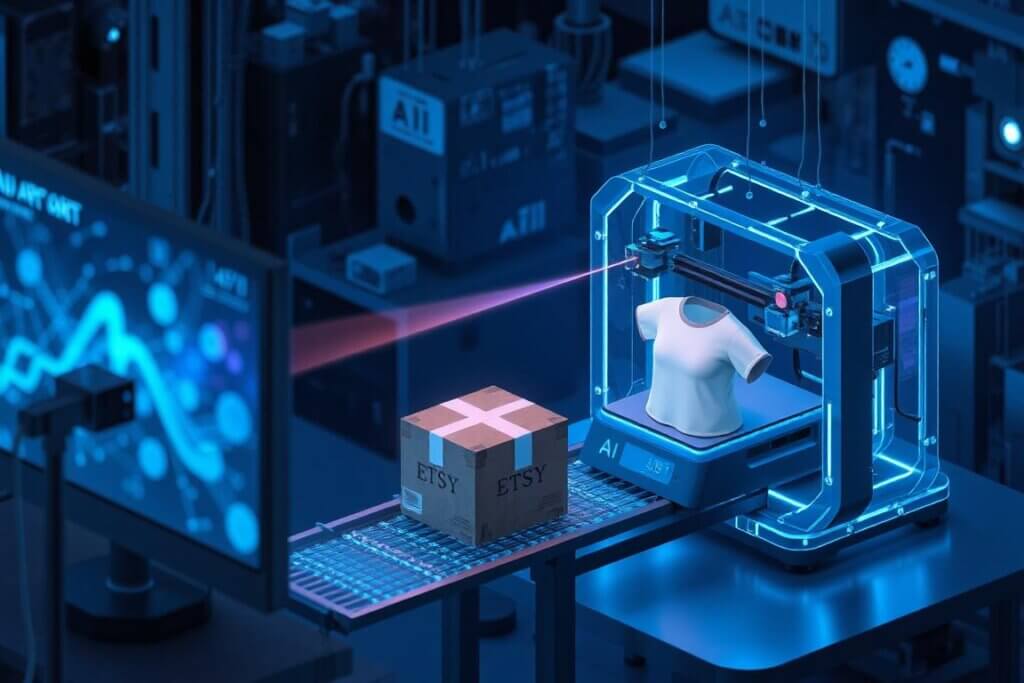
This is where the magic of “Automation” happens. You need to connect your supplier (Printify) to your storefront so that when a customer buys, the order is sent automatically.
Why Start with Etsy?
In 2026, you have two main choices: Shopify or Etsy.
- Shopify: You own the store, but you have zero traffic. You have to pay for ads (Facebook/TikTok) to get people to visit. This is “Hard Mode” for beginners.
- Etsy: It is a marketplace with millions of buyers already searching for “funny cat shirts.” You pay small fees (listing fees + transaction fees), but the traffic is organic and free. This is “Easy Mode.”
The Connection Process
- Open an Etsy Shop: It costs $0.20 to list an item. That is your only upfront risk.
- Go to Printify: Navigate to “My Stores” -> “Add New Store” -> “Connect to Etsy.”
- Grant Permissions: Click “Allow Access.”
Boom. The pipes are connected. Now, when you create a product in Printify and click “Publish,” it magically appears in your Etsy store as a live listing. When someone buys it, Printify charges your credit card for the base cost, prints it, ships it, and updates the tracking number on Etsy automatically. You literally do nothing.
The “Shipping Profile” Secret
Here is a technical tip that saves lives. In Printify, make sure to enable “Automatically Assign Shipping Profile.” This ensures that if Printify changes their shipping rates, your Etsy store updates automatically so you don’t lose money on shipping costs.
For a step-by-step walkthrough, the Printify Integration Guide for Etsy is the official manual you should bookmark.
Step 5: SEO & The Launch (Lighting the Signal Fire)
Uploading the product is only half the battle. You need to be found. Etsy SEO is just like Google SEO, but for shoppers. If you launch a ship in the dark, no one will see it.
The Title Strategy
Don’t name your product “Cool Shirt.” That is useless. The algorithm needs data.
Use the “Keyword Stacking” method. Describe the item, the niche, and who it is for.
- Bad Title: “AI Robot Tee”
- Good Title: “Retro Cyberpunk Robot T-Shirt | Gamer Gift for Him | Sci-Fi Streetwear | Artificial Intelligence Graphic Tee | Unisex Cotton Top”
The 13 Tags
Etsy gives you 13 “Tags” to describe your item. Use ALL of them. If you only use 3, you are throwing away 10 chances to be found.
- Pro Tip: Don’t repeat words. If “Shirt” is in your title, you don’t need “Shirt” in every tag. Use tags for vibes and occasions like: “Techwear,” “Coder Gift,” “Nerd Fashion,” “Future Aesthetic,” “Bday Gift for Dad.”
To find the best keywords, I recommend using a dedicated tool like eRank or Marmalead. They act as your “compass,” showing you exactly what terms real buyers are typing into the search bar right now.
Read Etsy’s Ultimate Guide to Search to understand how the algorithm decides which ships to float to the top.
Step 6: Marketing Your Store (Beyond the Algorithm)
Relying 100% on Etsy search is dangerous. To truly scale a passive income side hustle, you need to drive your own traffic. Since we are using AI, we can automate this too.
The Pinterest Strategy (The Silent Engine)
Pinterest is not a social media site; it is a visual search engine. It is the #1 driver of traffic for Print-on-Demand.
- Action: Create a Pinterest Business account.
- Workflow: Take your mockups (from Placeit) and upload them as “Pins.” Link the Pin directly to your Etsy listing.
- The AI Hack: Use ChatGPT to write keyword-rich descriptions for your Pins. Use Canva to bulk-create 10 Pins for one shirt design.
💡 Personal Note: “I used to think Etsy SEO was enough. My first store sat dead in the water for three weeks with zero sales. Out of frustration, I spent one Saturday scheduling 20 Pins on Pinterest using Canva mockups. Two days later, my traffic spiked by 400%, and I made my first 5 sales. I realized then: Etsy brings the boat, but Pinterest brings the wind. Never rely on just one traffic source.”
The TikTok “Faceless” Strategy
Remember the AI video workflow we discussed on Monday? Use it here.
- Action: Order one sample of your best shirt.
- Video: Film simple 7-second clips of the shirt on a hanger, or you wearing it, with trending audio. Overlay text like “POV: You found the perfect shirt for gamers.”
- Result: One viral TikTok can sell out your store overnight.
For a deep dive on this, check out Later’s Guide to TikTok Marketing, which explains how to get views without dancing.
The “Bermuda Triangle”: 3 Mistakes That Sink New Stores
I have seen many captains crash on the rocks. Avoid these three common errors to keep your hull watertight.
1. The Trademark Trap
This is the fastest way to get banned. You cannot sell “Star Wars” fan art just because you made it with AI.
- Rule: If you didn’t create the character, don’t sell it. No Mickey Mouse, no Nike logos, no lyrics from Taylor Swift songs. Stick to original concepts (e.g., “A cute astronaut cat” is fine; “Buzz Lightyear” is not).
- Tool: Check phrases on TESS (Trademark Electronic Search System) before putting them on a shirt.
💡 Personal Note: “I almost lost my entire account because of this. In 2024, I listed a shirt featuring a ‘Cute Baby Alien’ that looked suspiciously like a famous character from Star Wars. I thought because AI generated it, I was safe. Wrong. I got a DMCA takedown notice within 48 hours. It was a terrifying wake-up call. Now, I have a strict rule: If the character has a name (like Mario or Batman), I don’t touch it. I stick to ‘generic’ concepts—like ‘Cyberpunk Samurai’—where I own the creativity 100%.”
2. The “General Store” Mistake
Don’t open a store that sells dog shirts, crypto mugs, and grandma posters. That is a mess.
- Rule: Pick a Niche. Be the “Retro Horror Movie Shirt Store” or the “Minimalist Coffee Mug Store.” Niche stores build loyalty; general stores confuse customers.
3. The Pricing Race to the Bottom
Don’t try to be the cheapest. You cannot compete with Walmart.
- Rule: Price for profit. If the shirt costs $10, sell it for $24.99, not $12.99. People pay for design and emotion, not just cotton.
Conclusion: The Fleet Awaits
Starting an AI Print-on-Demand store in 2026 is the ultimate test of the AICashCaptain philosophy. It combines AI Creativity (creating the asset) with Automation (fulfillment) to create a true Passive Income vehicle.
You have no inventory. You have no shipping. You have no excuses.
The tools cost almost nothing. The risk is $0.20.
The only barrier between you and your first sale is the action of starting.
Your Final Order:
- Sign up for Printify (it’s free).
- Connect it to a new Etsy shop.
- Upload that “AI Captain” design you made on Monday (after upscaling it!).
- Launch.
The horizon is full of opportunity. Hoist the colors and claim your slice of the market.
🔗 Related posts:
- The Merch Wars: Midjourney vs. Ideogram vs. Leonardo — Finding the Best AI Art Generator for T-Shirt Design (2026 Review)
- AI Money-Making Predictions for 2026: 3 Trends That Will Build Wealth (Adapt or Get Left Behind)
- How to Start a Faceless YouTube Automation Channel in 2026 (From 0 to Monetized)
- Top 3 AI Tools to Automate YouTube Shorts & TikToks for Passive Income (2026 Review)